Phase 1: Initial Access and Social Engineering
Because the malware cannot be listed on the official Google Play Store, attackers rely extensively on social engineering to achieve initial access. The typical delivery vector begins with smishing (SMS phishing) campaigns or social engineering links distributed through messaging applications. These links direct target users to highly convincing domain names that mimic official application updates or security tools, such as fake Google Chrome updates or cellular provider utilities. The destination web servers use cloned HTML and CSS templates to simulate an official Android marketplace interface. When a user clicks the download button, a malicious JavaScript function initiates the direct download of the Stage-1 dropper APK, prompting the user to bypass standard operating system warnings regarding installations from unknown sources.
Phase 2: Dynamic Decryption and Injection
Once the user runs the Stage-1 dropper, the application initiates an evasion process to dynamically load its core modules. Rather than storing the malicious code in plain text, the payload is encrypted and embedded within the app assets. The dropper dynamically extracts its own package details from the Android manifest file. In a verified campaign, the malware used the target package name of rogcysibz.wbnyvkrn.sstjjs to dynamically generate a 16-byte AES decryption key in hexadecimal form: 62646632363164386461323836333631.
Using this key, the dropper decrypts the encrypted payload stored in the application assets. It then utilizes DEX element injection, a sophisticated technique that loads the core Java classes directly into the running memory process at runtime. This dynamic loading bypasses disk-based scanners completely, since the malicious executable payload never exists as an independent file on the device file system.
Phase 3: Permissions Exploitation and Persistence
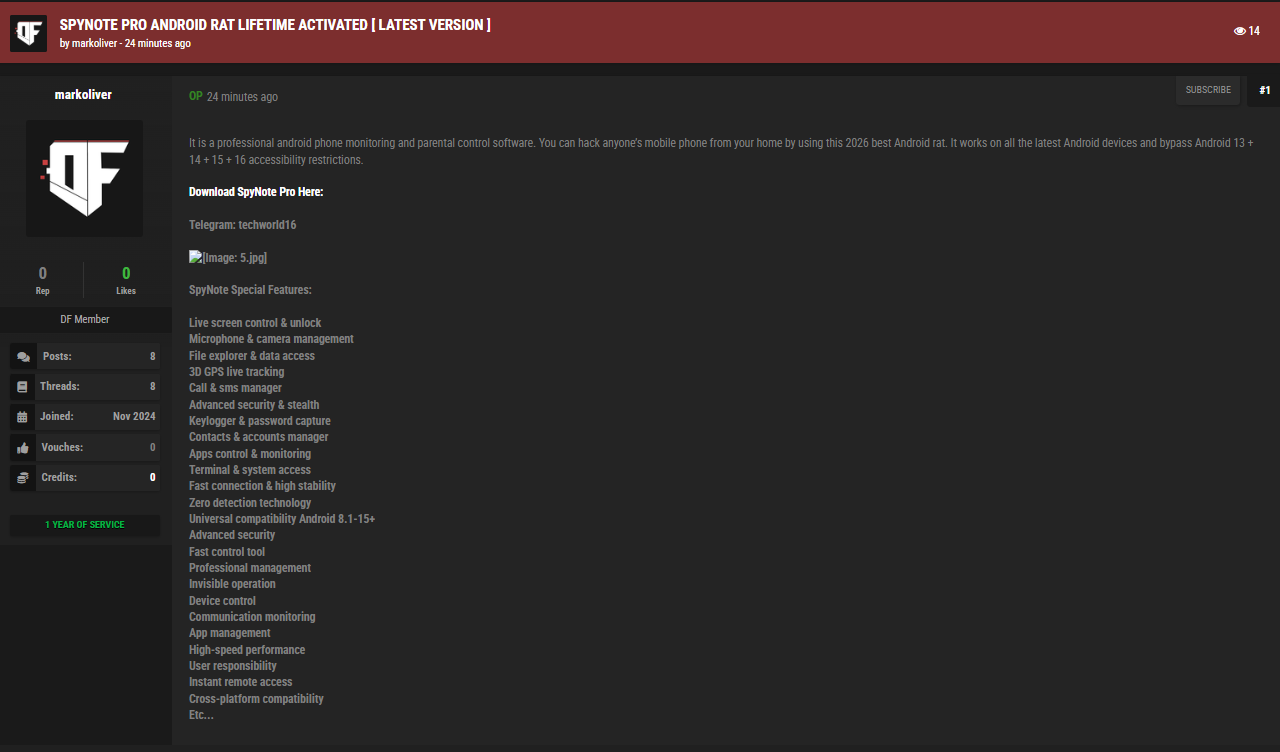
Upon successful memory execution, the SpyNote Pro payload immediately displays intrusive prompts requesting access to Android's Accessibility Services (specifically using the android.permission.BIND_ACCESSIBILITY_SERVICE permission). This is the critical step in the compromise. Once the user grants accessibility access, SpyNote Pro abuses this service to programmatically grant itself all other required permissions without any further user interaction.
By simulating user clicks in the background, the malware automatically approves permissions to read SMS messages, track physical GPS location, record audio, and access the device camera. It also configures itself to bypass battery optimization settings, ensuring that the background communication processes are not terminated by the operating system power management services. Finally, to prevent removal, the malware abuses accessibility controls to immediately close any system settings menus if the user attempts to manually uninstall the application or revoke its administrative permissions.
Phase 4: Overlay Attacks and Exfiltration
With complete system control established, SpyNote Pro begins executing its malicious objectives. The Trojan is equipped with an overlay module that monitors running foreground applications. When it detects that the user is opening a targeted mobile banking portal, corporate single sign-on (SSO) gateway, or cryptocurrency wallet application, the malware dynamically injects a malicious HTML overlay screen directly over the legitimate interface. The user, believing they are interacting with a secure application, enters their login credentials, which are captured in real-time and exfiltrated to the attacker's command and control (C2) server.
Simultaneously, the keylogging module captures all on-screen keystrokes, while the SMS interception module actively monitors incoming messages. This allows the threat actor to harvest multi-factor authentication (MFA) codes and one-time passwords (OTPs) sent via SMS, effectively neutralizing enterprise identity protections.